Log the set.Beat the number.
GymTrack is a training log for one lifter — yours. Last week's weights come pre-filled, the rest timer starts itself, and every kilo you add turns into a record you can see. No feed, no coach, no upsell.
Built for sweaty thumbs
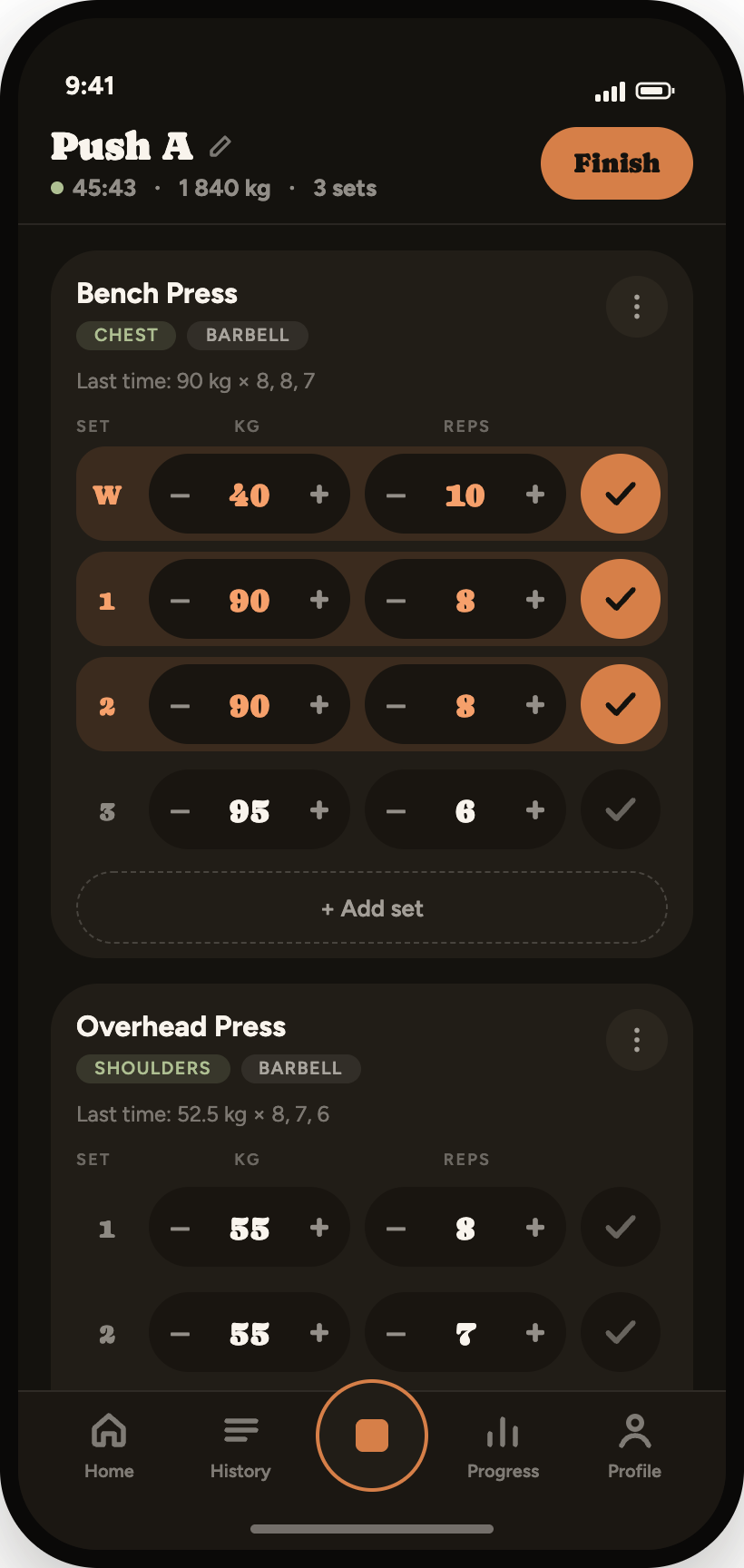
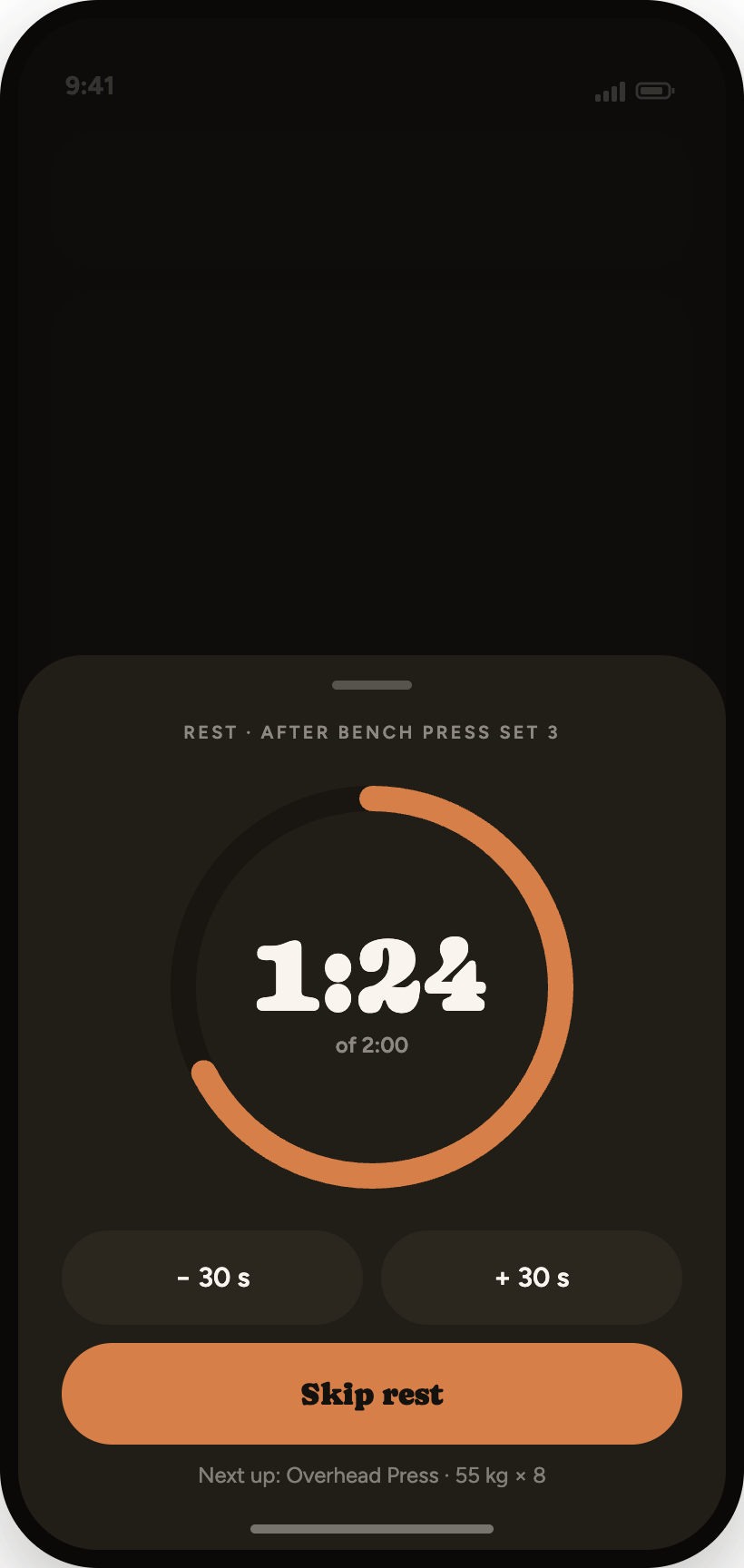
Every row opens with what you lifted last time. Steppers move the weight in plate increments, the checkmark completes the set and turns it accent-orange, and the rest timer starts on its own — a pill above the tab bar you can extend or skip without leaving the list.
“Last time: 90 kg × 8, 8, 7” sits above the sets, so you decide in a second.
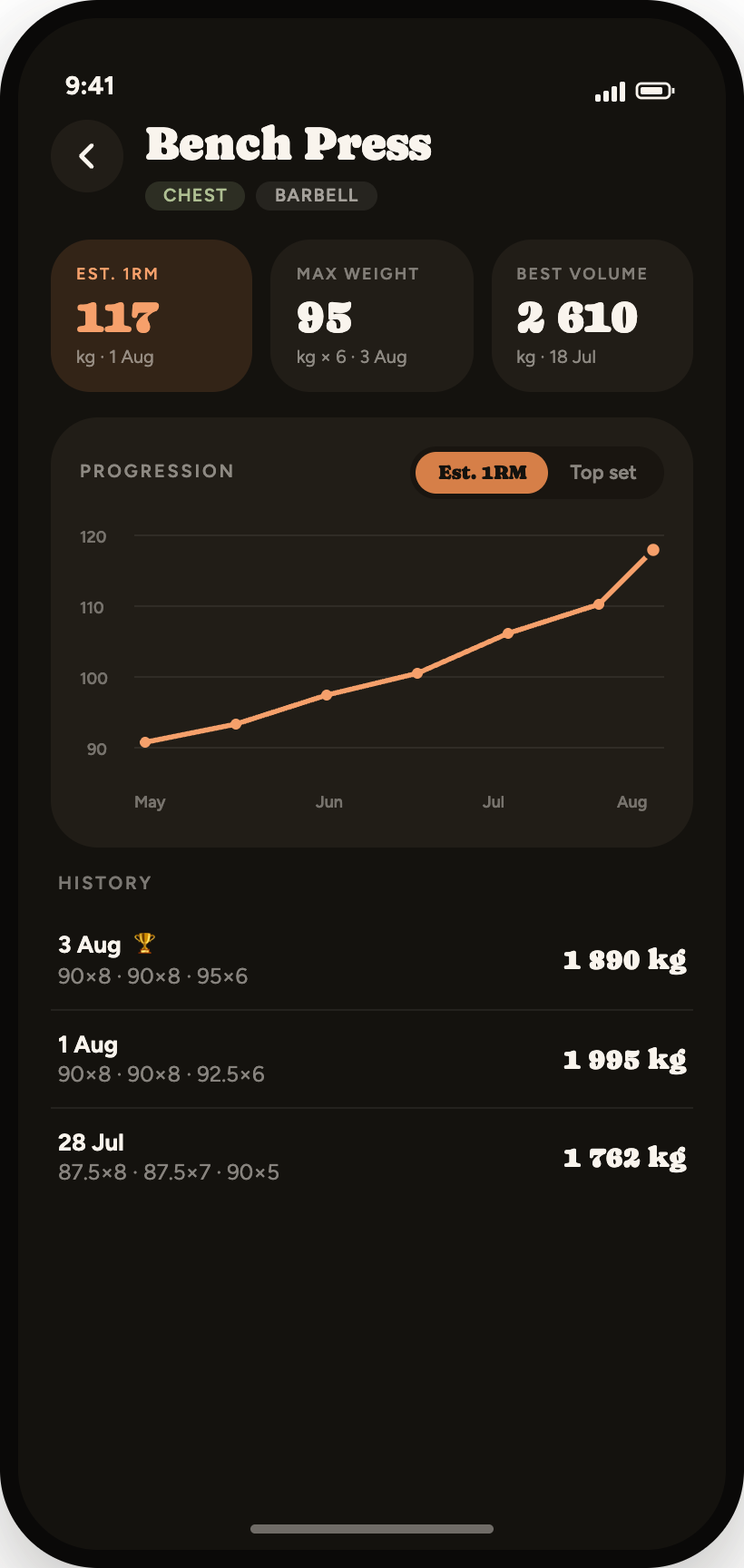
Beat an estimated 1RM and the set gets a badge before you've racked the bar.
W rows stay out of your volume and out of your records.
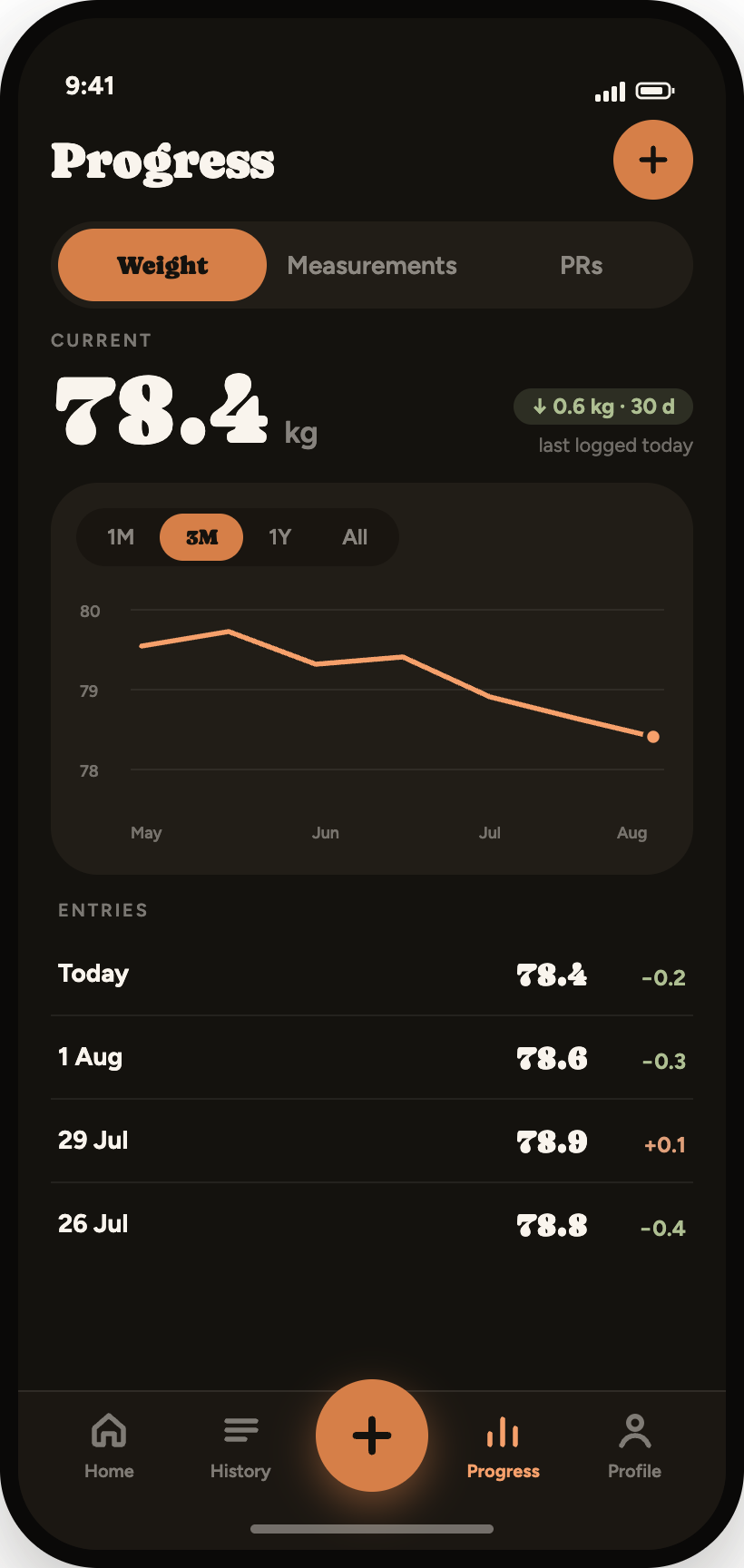
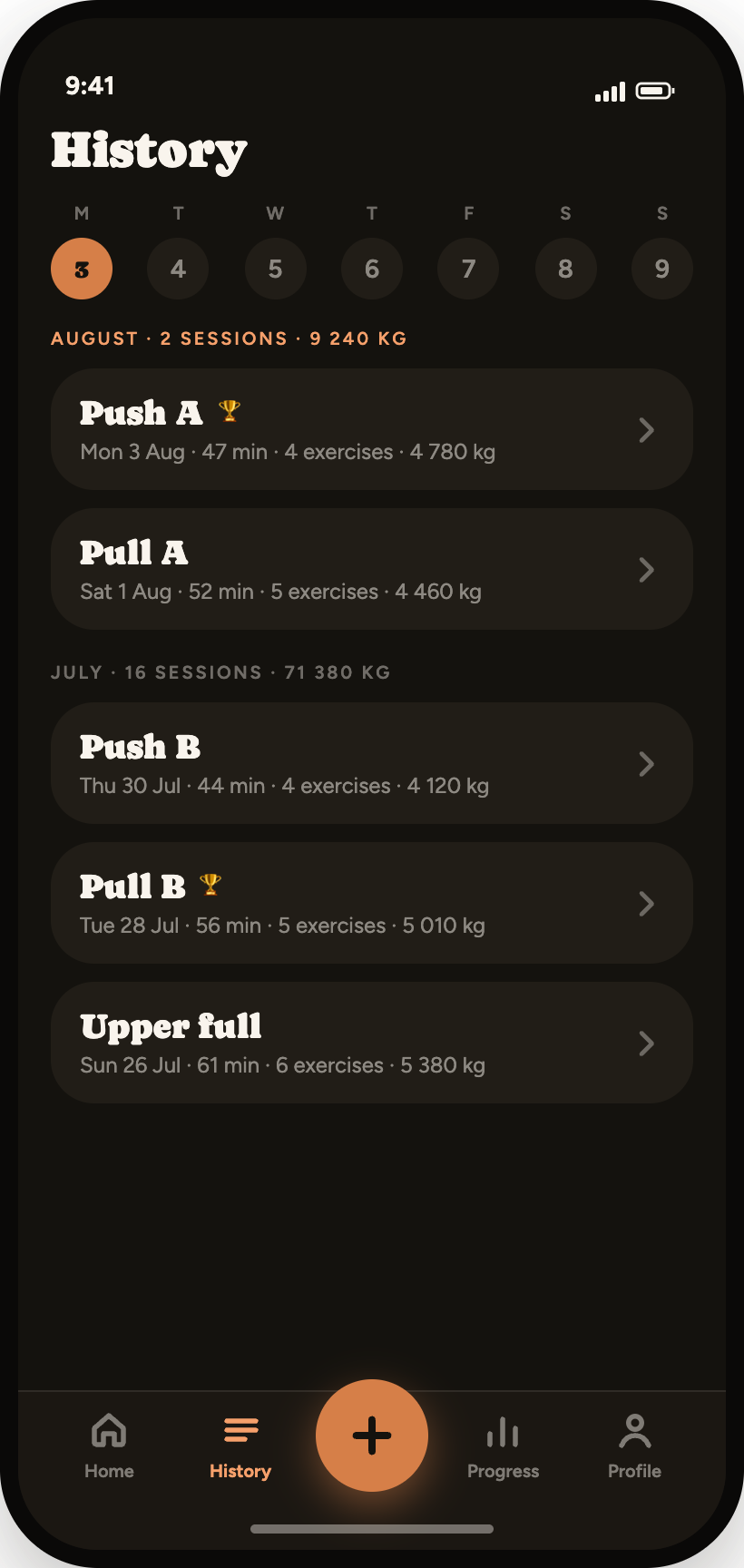
The numbers keep the score
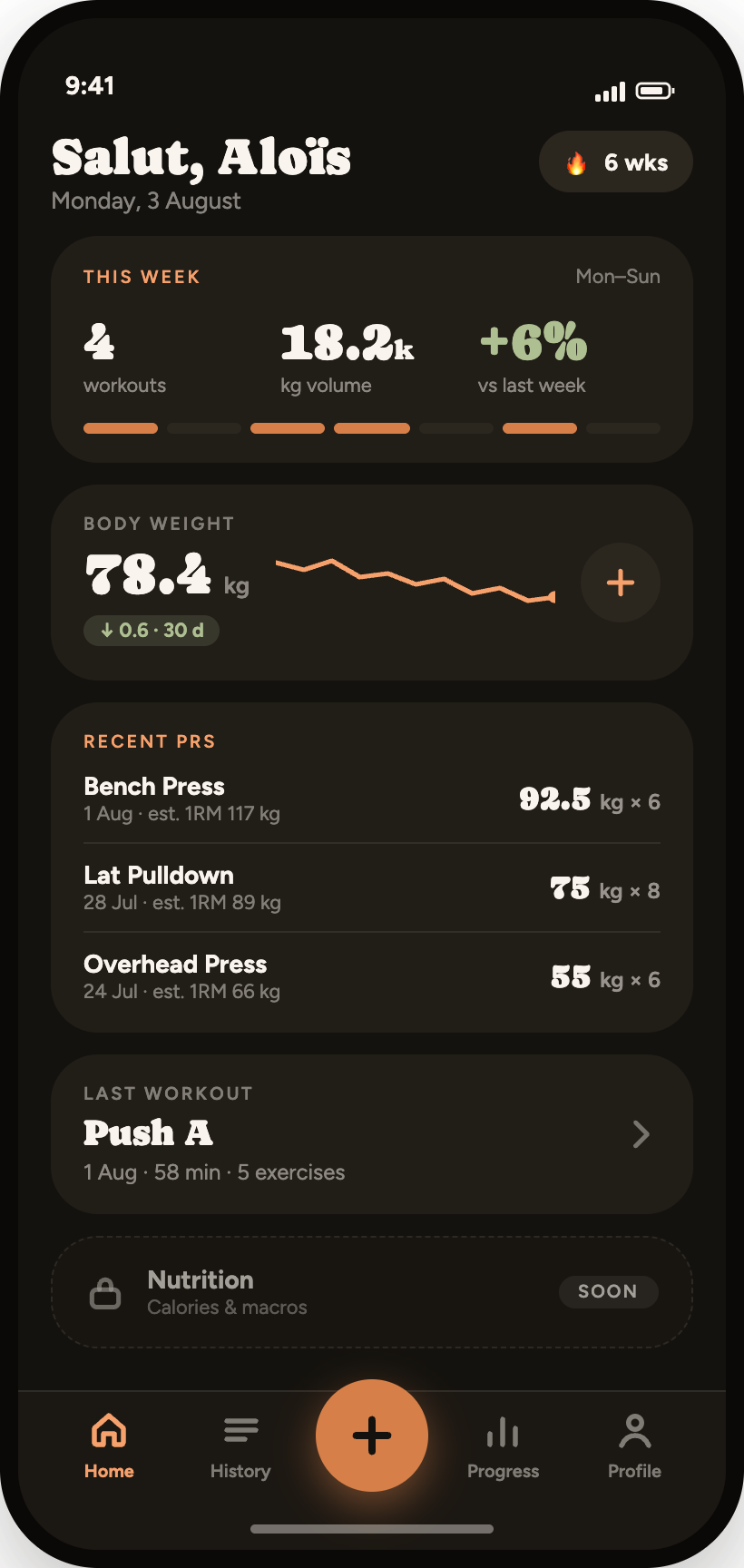
Body weight, twelve measurements and every exercise you've ever logged, each with its own chart and history. Sessions group by month with volume totals and a trophy on the days a record fell. Export the whole lot as CSV whenever you like — it's your data.
“I stopped keeping a notebook in my gym bag. Three taps a set, and I can finally see that the bench is moving.”
Protein first, calories second
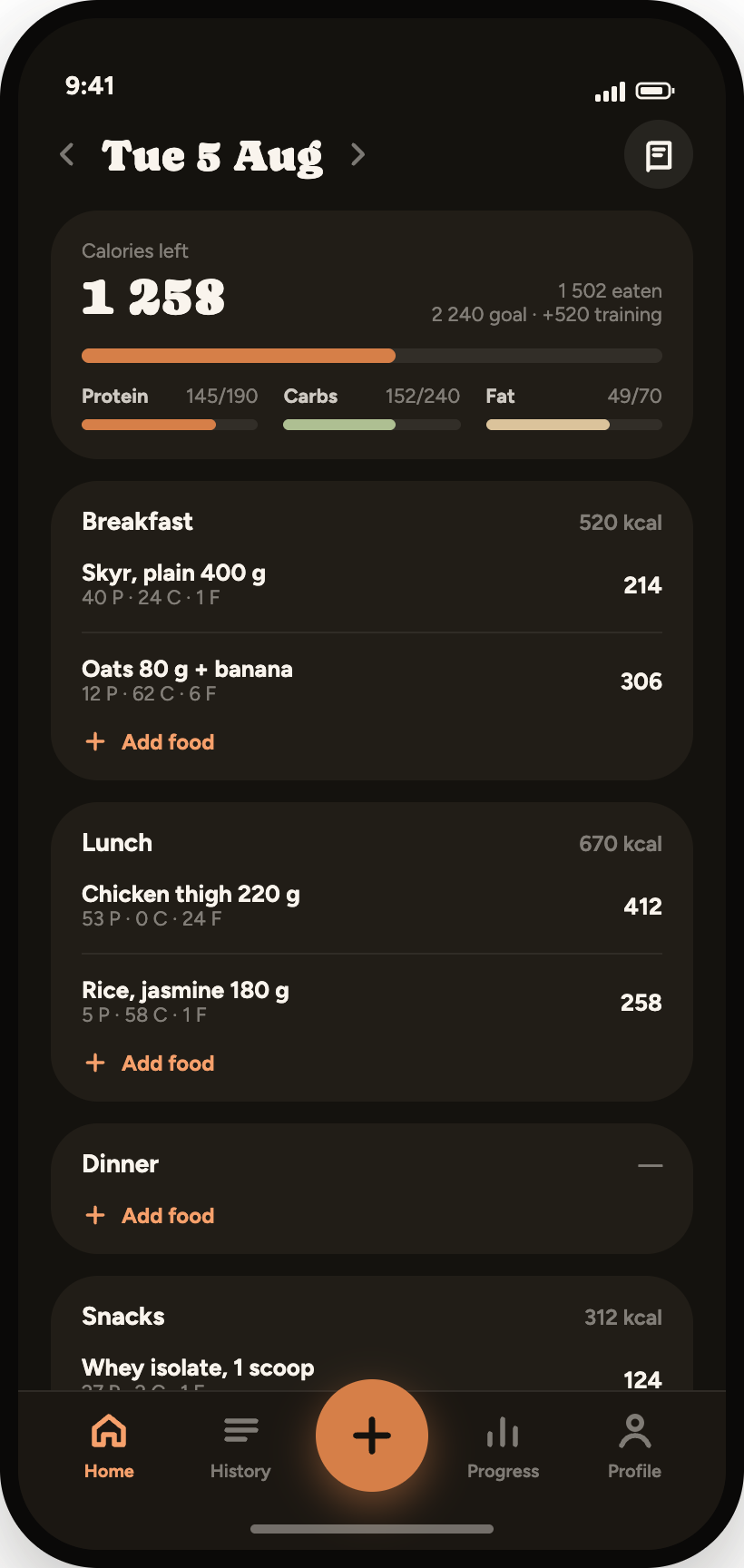
Most trackers put a calorie number in front of you and bury the macro that actually builds the lift. GymTrack leads with protein: one ring, grams to go, and a plain sentence telling you what's left of the day. Calories sit underneath, with the energy you burned training added back where you can see it.
Scan a barcode from the home screen, search your own foods and saved meals, or quick-add a number when you're eating out and can't be bothered. Then watch intake against body weight on one chart — the only comparison that answers whether the bulk is working.
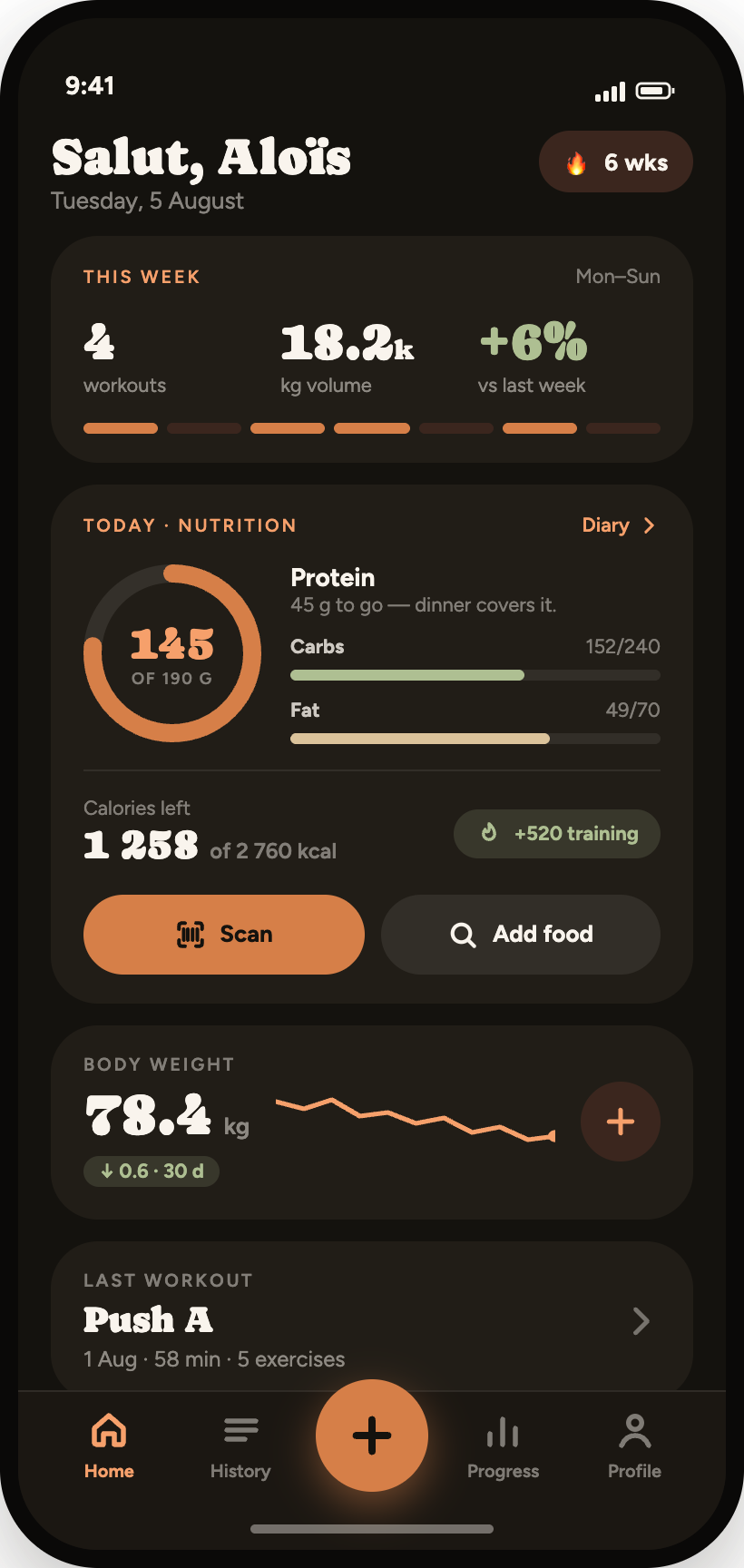
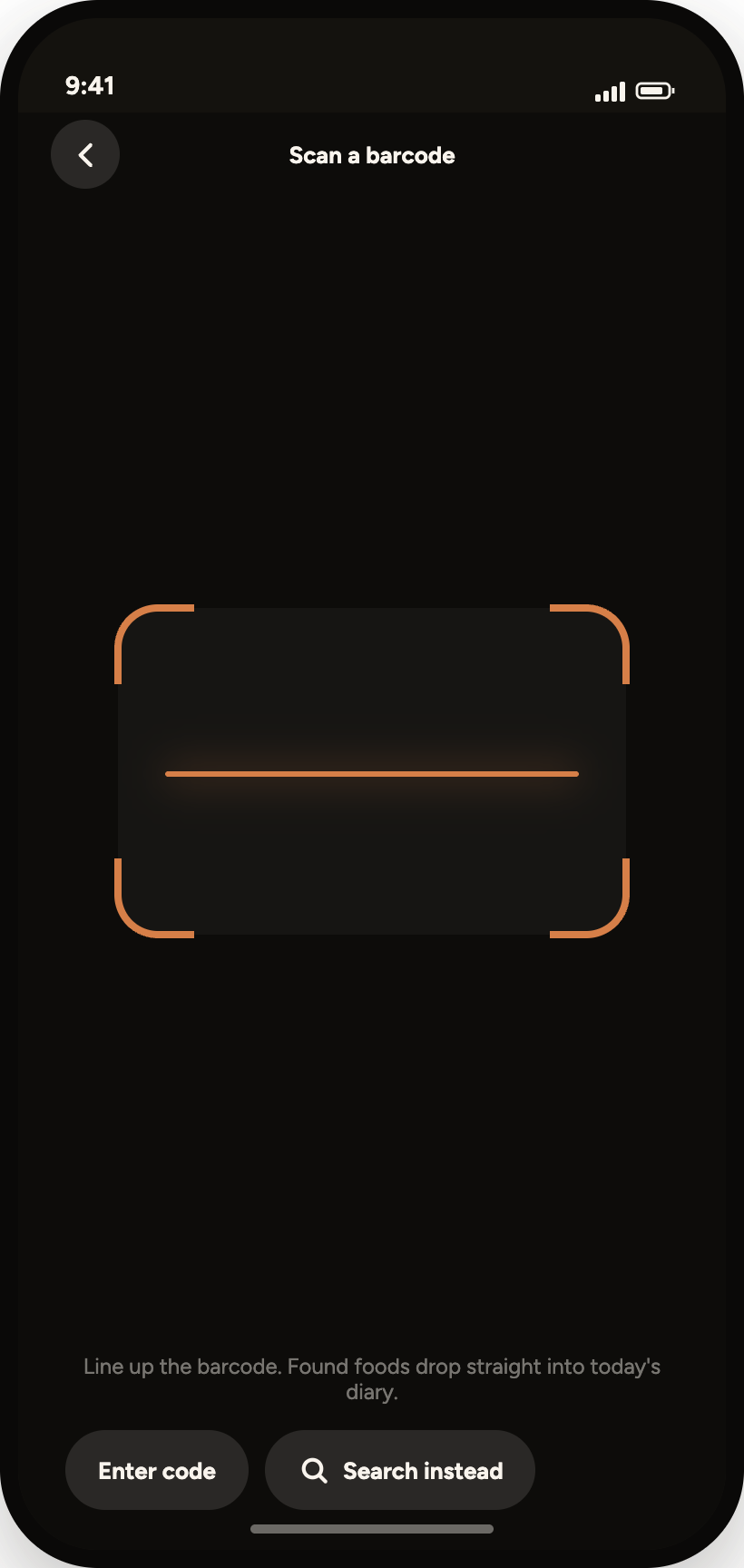
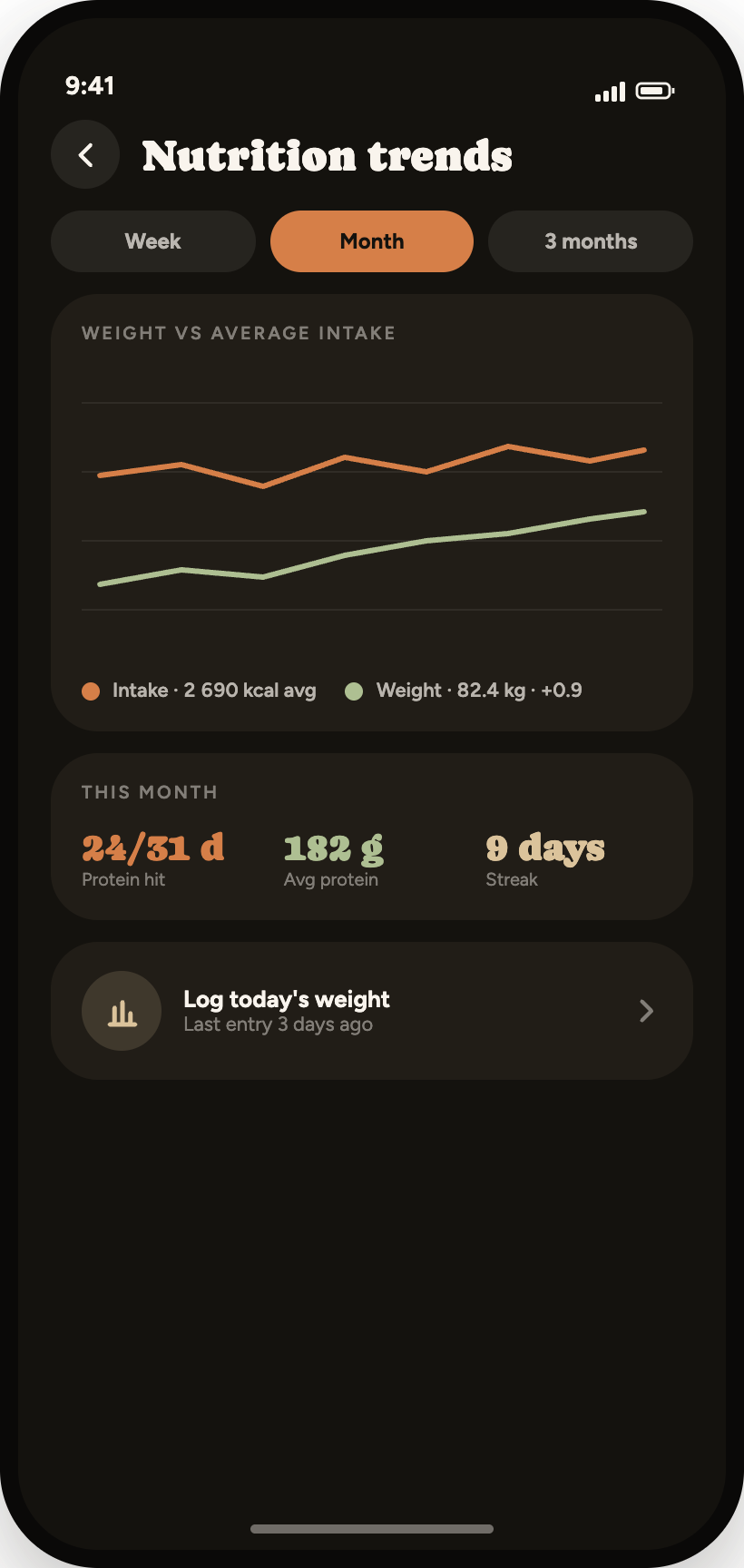
The scanner opens from the home card or the centre button, and a found food drops straight into today with its portion pre-filled.
Finish a session and the calories you spent are added to the day's budget explicitly — never folded quietly into a goal you can't audit.
No extra tab. Nutrition lives as a card on the home screen and opens into its own stack when you want the detail.
Ask your assistant about your training
GymTrack ships an MCP server, so any assistant that speaks the protocol can read your sessions, lifts and food log — and write to them. "How's my bench trending?", "log 40 g of protein", "plan next week around my volume." Read-only by default, scoped per tool, revocable in a tap.
Start your first session
Free while it's in beta. One account, one lifter, kg or lb — set it once at sign-up and get to the rack.